
Mixed-media production
Live action, 3D and 2D animation in one frame, with the reason for each layer in the blend map.
Send a brief- You send
- Brief, product drawings, brand guide, placements
- You get first
- A blend map naming every layer in every shot
- Built from
- Live-action plates, 3D renders, drawn animation
- Delivered
- Composited masters, versions, provenance log
Shot 1, 0:00 to 0:04
Ridge at dawn
- Live action
- AI-assisted
A runner crests a frosted ridge as the sun clears the horizon.
Why this medium: Only a real location sells cold air and early light. An AI-assisted cleanup removes a power line from the sky; a compositor reviews every frame.
Shot 2, 0:04 to 0:07
First sip
- Live action
- Animation
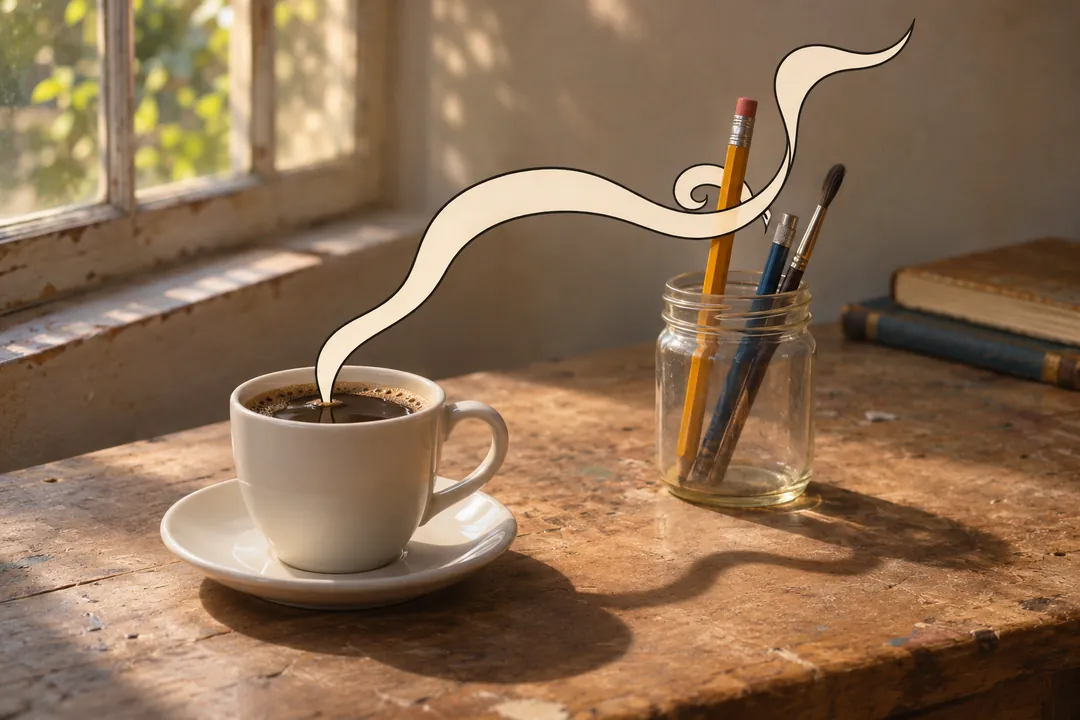
At the trailhead the runner pours coffee; a drawn line rises out of the steam.
Why this medium: The animated line is the idea of the spot (heat that lasts), so it starts inside a real moment.
Shot 3, 0:07 to 0:12
The line becomes a chart
- Animation
The line stretches across the frame into a simple temperature curve from 6 a.m. to noon.
Why this medium: A chart is clearer drawn than filmed, and it can be retimed for every cutdown.
Shot 4, 0:12 to 0:17
Inside the wall
- 3D
The bottle separates into its layers: outer steel, vacuum gap, copper lining, inner steel.
Why this medium: A camera cannot show a vacuum gap. A 3D model built from the product drawings can, accurately.
Shot 5, 0:17 to 0:20
Back on the trail
- Live action
- 3D
- Animation
- AI-assisted
The 3D bottle sits in the runner’s real hand; the drawn line wraps around it.
Why this medium: The blended shot joins the three media. AI-assisted rotoscoping speeds the hand matte; a person finishes the edges.
Shot 6, 0:20 to 0:24
Summit pour
- Live action
At the top, the runner pours and the steam is still there.
Why this medium: The proof moment stays real: the same coffee, the same bottle, filmed hours later.
Shot 7, 0:24 to 0:27
Twelve hours
- Animation
Kinetic type: twelve hours hot, twenty-four cold.
Why this medium: Type animates cleanly in every aspect ratio and language version.
Shot 8, 0:27 to 0:30
Packshot
- 3D
The bottle turns once and settles on the end card.
Why this medium: A rendered packshot is identical in every version and can be re-rendered for a new color.
Mixed media is the service Blendpipe is built around: one frame that holds live action, 3D and 2D animation at the same time. A real hand holds a rendered product while a drawn line wraps around it. Each layer does a job the others cannot, and the reason for each is written down before anything is shot, built or drawn.
The blend map above lights three tracks of the fictional Orlenna spot: live action (14 seconds), 3D (11 seconds) and 2D animation (14 seconds). Most shots use one of them. Shot 2 (4 to 7 seconds) puts a drawn line into real coffee steam, and shot 5 (17 to 20 seconds) uses all three in one frame, with an AI-assisted step underneath. Those overlaps are where mixed-media work happens, and they take the most planning.
Why each layer
A blended frame works when every layer is still the best tool for its part of the picture:
- Live action carries what the audience should trust as real: light, skin, weather, a place, the way a hand moves.
- 3D carries the product, built from its drawings, identical from shot to shot and version to version, and re-renderable for a new color.
- 2D animation carries the idea: a line, a number, an arrow, a word. Drawn elements can be re-laid out for each aspect ratio instead of cropped.
If a layer is not doing a job, it comes out. A shot that works as pure live action does not get a drawn element just to look busy: every extra layer adds tracking, mattes and review time. The plan says when a blend is chosen for budget or schedule reasons as well as for the picture.
The blend map is the core document
Every row of the blend map gives a shot its number, in and out times, what we see, the medium of each layer and the reason. For blended shots it adds what the plate must contain, which element passes in front of which, which mattes are needed, and who reviews each layer. The shot list worksheet uses the same columns.
The shoot’s shot list, the 3D render list, the animation list and the compositing order all come from it. When something changes (a new product color, a lost location), it changes in the blend map first and every list follows. That is why it opens the production plan described on how we work.
Planning plates, tracking and compositing
Plates
A blended shot starts on set. The plate is framed for the tallest crop in the deliverable matrix and shot with what later layers need: tracking markers, light reference, a clean pass of the background, camera notes and a stand-in for anything talent will hold. Live action lists each item.
Tracking
The camera’s movement is reconstructed in 3D so a rendered object sits in the same place in every frame. Where talent holds or touches the object, the hand is tracked as well.
Layer order and mattes
The plan decides what passes in front of what. When a drawn line goes behind fingers and then in front of a product, the fingers need a matte: a shape that follows them frame by frame so one layer can sit behind another. Mattes are drawn by rotoscoping, which is slow, careful work and one of the places AI-assisted tools can draft a first pass for a person to finish (see AI-assisted production).
Compositing
The compositor joins the plate, the 3D render passes, the animation and the mattes, then matches black levels, grain, focus, lens distortion and motion blur so the layers share one camera. Each layer is reviewed on its own before the composite, so a note on the animation does not wait for a finished frame. Color and finishing follow in post-production.
Worked case: shot 5 of the Orlenna example
Example (fictional). Shot 5, “Back on the trail”, runs from 17 to 20 seconds: 3 seconds, or 72 frames at 24 fps. The runner’s real hand holds the 3D bottle while the drawn line from shots 2 and 3 wraps around it.
- Plan. The blend map row names four layers and their reasons: the hand and trail are live action because they need real light; the bottle is 3D so it matches the exploded view in shot 4 and the packshot in shot 8; the line is 2D because it is the idea of the spot (heat that lasts); the hand matte is drafted with AI-assisted rotoscoping and finished by a person.
- Shoot (week 4). The runner holds a bottle-sized stand-in marked for tracking. A grey and chrome ball pass and an HDR image are recorded in the same light, and a clean pass of the trail follows.
- Track. The camera and the hand are tracked so the bottle stays in the grip through the move.
- Render. The bottle is rendered under the recorded light, in passes for the object, its reflections and its shadow on the hand. Its 72 frames are part of the 264-frame render plan.
- Animate. The line is drawn over the tracked plate, passing behind the fingers and in front of the bottle.
- Matte. AI-assisted rotoscoping drafts the hand matte; a compositor finishes the edges frame by frame. The step goes into the provenance log with the reviewer’s name.
- Composite and review. The layers are joined and matched, and the composite is reviewed against the approved style frame before color.
Who owns a blended frame
A composite is built from human choices about layers, order and timing. The US Copyright Office’s 2025 report says creative “selection, coordination, or arrangement” and human modifications are protected, and that using AI “to assist rather than stand in for human creativity” does not affect protection. The provenance log records every AI-assisted step and who reviewed it, so your counsel can see which parts of each frame are human-authored. The policy is on AI practices, and ownership of footage, renders and licensed elements is covered on rights and usage.
What you send and what you get
You send the brief, the product drawings or CAD files, the brand guide, any existing footage, and the placements. You receive the blend map in the production plan, style frames for each blended shot, review points for each layer, the composited masters and versions, and the provenance log. The example campaign shows the full Orlenna plan.
Have an idea that needs a real place, an accurate product and a drawn idea in the same shot? Send a brief, and the blend map is the first thing you see.