
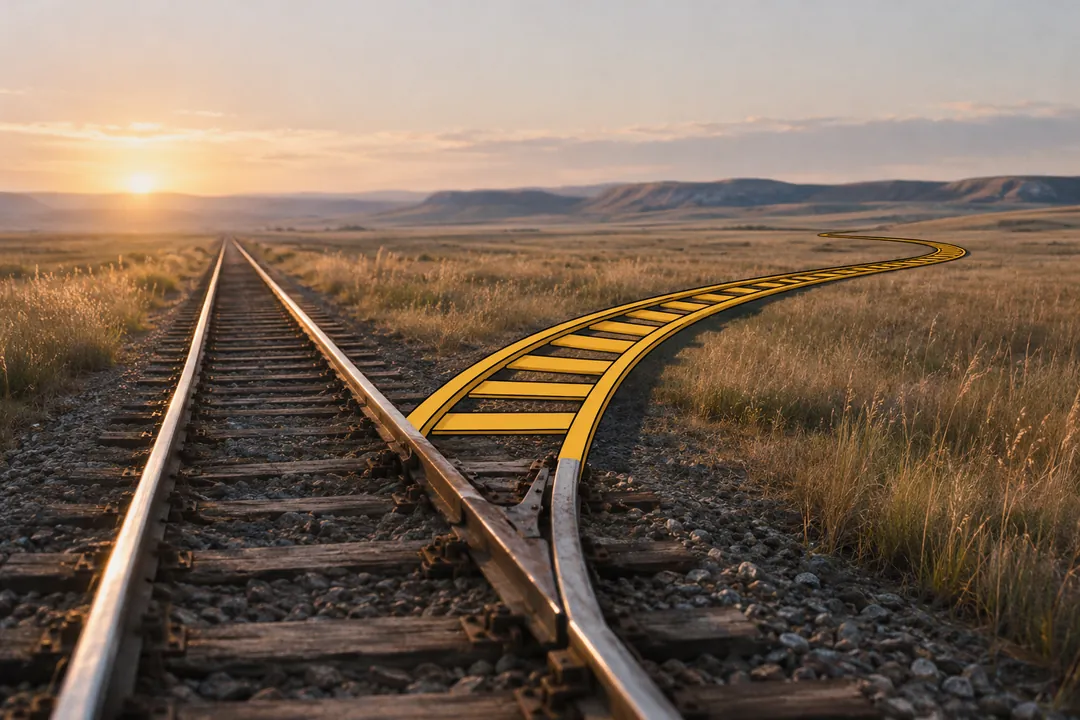
Choose animation or live action one shot at a time, not once for the whole spot. Film the shots that need real people, real places or physical proof; animate in 2D the ideas, numbers and type; render in 3D the product, the cutaways and the camera moves no camera can make. Put two formats in one frame only when the idea needs something real and something impossible in the same instant, because every composite adds tracking, lighting-match and compositing work to that shot.
This article gives you a shot-level decision table, shows where each format puts the cost, lists the rules each format brings with it (talent usage, permits, platform AI labels and truth-in-advertising law), and ends with a test for when a mixed-media composite pays for itself. Rules and figures are as of November 2026.
Why the whole-video comparison gives the wrong answer
Most animation versus live action guides compare whole videos, but a 30-second commercial is a sequence of shots with different jobs. Deciding per shot sends each job to the format that does it best and shows you where the budget actually goes.
Take a spot for an insulated bottle. It needs a runner on a ridge at dawn, a temperature curve that proves the claim, and a look inside the bottle wall. Film all three and you still need a cutaway prop or a graphic for the wall. Animate all three and you lose the cold air and early light that make the ridge believable.
Most commercials already mix formats without saying so. A live-action spot ends on a rendered packshot. An animated explainer opens on a filmed product in a hand. The question is not which format wins, but which format each shot should use and why.
What “format” means in this article
Each shot gets one of four answers:
- Live action: filmed with a camera, on location or on a set.
- 2D animation: drawn or designed flat, including motion graphics, kinetic type, diagrams and character animation.
- 3D (CGI): built as a model in software, lit and rendered, from a product drawing, a scan or from scratch.
- Composite: two or more of the above in the same frame, such as a real hand holding a rendered product while a drawn line wraps around it.
AI-assisted steps (cleanup, rotoscoping drafts, upscaling) can sit under any of these. They are a step inside a format, not a format of their own, so a plan lists them as their own track with a reviewer for each.
Why the decision comes before the bids
A live-action bid is counted in shoot days, crew and locations. An animation or 3D bid is counted in seconds, shots and render hours. If you ask three companies for “an animated spot” or “a live-action spot”, you get three different guesses about which shots need which work, and the totals cannot be compared.
The document that fixes this is a shot list with a medium and a reason in every row, which this publication calls a blend map. The mixed-media production page explains how that document drives the shoot list, the render list and the compositing order.
What each format does best
Each format is strongest at a different kind of picture: live action at real people and places, 2D at ideas and words, 3D at products and views no camera can reach. The table after the subsections sums up the trade.
Live action: people, places and physical proof
A camera records real light on real skin, weather in the air and a place the audience may recognize. Performance is the biggest reason to film: a person’s hesitation before a sip, or the way a hand grips a cold rail, is hard to animate convincingly and slow to try. Live-action production also gives you physical demonstrations, a pour or a stretch test, that viewers read as evidence.
The limits are physical too. A camera cannot see inside a sealed product, cannot film a product that has not been manufactured, and cannot move through a solid wall. Live action also depends on things outside your control: weather, talent availability, permits and shipping a finished sample. Once the shoot wraps, changing what was filmed means another shoot.
2D animation: ideas, data, type and characters
2D animation is the format of abstraction. A line can become a chart, an icon can stand for a feature, a word can move to the beat of the voiceover. Viewers read 2D as illustration, which is exactly right for a claim summary, a diagram or a brand character.
Because 2D is built from layers, it is easier to re-lay out for each aspect ratio and each language than live action, which can only be cropped. The cost of 2D grows with seconds and with complexity: kinetic type is quick per second, while full character acting is slow per second.
3D: products, cutaways and impossible cameras
3D and CGI builds the product from its drawings, so it looks the same in every shot, every version and every new colorway. It can show what is inside: layers of a wall, a mechanism, a vacuum gap. Its camera can pass through solid objects, orbit a product in a single move, or show a product that exists only as CAD.
The costs come early and late. Early, someone builds an accurate model and its materials. Late, every frame has to render, and render time grows with frames, complexity and the number of passes. Photoreal people, fur, water and landscapes remain slow and expensive to make believable in 3D.
Composites: two or more formats in one frame
A composite puts a live-action plate, a 3D element and a drawn element into one picture. It can do what none of them does alone, but it inherits the work of all of them plus tracking, mattes and compositing. The last chapters of this article give the test for when that is worth it.
| Shot job | Best first choice | Why | Common reason to switch |
|---|---|---|---|
| A person’s reaction or performance | Live action | Nuance and trust | The person is a brand character, so 2D or 3D fits |
| A place viewers should recognize | Live action | Real light and weather | Location closed, out of season or unpermittable |
| The product in someone’s hands | Live action or composite | Hands read as real | Product not built yet, so a 3D product goes into a real hand |
| Hero reveal and packshot | 3D | Identical in every version | Finish too hard to model, so film a tabletop |
| Inside the product | 3D | No camera can see it | A simple concept, so a 2D diagram is enough |
| Numbers, claims and charts | 2D | Legible and easy to retime | None; keep it drawn |
| Kinetic type and end card | 2D | Re-lays out per ratio and language | None; keep it drawn |
| A demonstration offered as proof | Live action, unaltered | Viewers rely on what they see | Never swap in a mock-up without counsel’s review |
Where the cost sits in each format
Animation is not automatically cheaper than live action. Live action concentrates cost in shoot days that are shared by every shot filmed that day, while 2D and 3D spread cost across seconds and shots as labor and render time, so the cheaper format depends on how many shots of each kind the spot needs.
Live action is counted in days
The AICP Bid Form (2023 update), which the AICP introduced in 1975 and describes as the de facto standard for commercial bids, shows the structure. Its sections run from A to P: prep crew, shoot crew, prep and wrap expenses, location expenses, props and wardrobe, studio costs, art department labor and expenses, equipment rental, media, miscellaneous costs, director’s fees, talent, talent expenses, other, and breakouts. The job information block asks for pre-production days, build and strike days, pre-light, stage days and location days.
Nearly every line is a rate multiplied by days or people. That makes live action a step cost. Once a crew, a camera package and a location are paid for, another shot at the same location on the same day costs little more than the time to set it up. Another location, another day or a weather day is a step up, because most of the day-rate lines repeat.
Animation and 3D are counted in seconds, shots and render hours
2D is often estimated per second of finished animation, as the site’s budget calculator does, adjusted for complexity, plus design time for style frames and rounds of changes. 3D adds an up-front model build and then costs per shot: layout, lighting, animation and rendering. Render time is arithmetic: frames multiplied by minutes per frame, divided by the machines rendering at once.
The result is a smoother curve. Each added second of animation costs roughly what the last one did, with no step for a new location. That is why animation tends to win when the alternative is another shoot day, and lose when the shots could have been filmed on a day you were paying for anyway.
A worked comparison with example rates
Example (fictional). Orlenna is an invented Colorado bottle brand, not a client, and every figure here is an illustration from the defaults of the video budget calculator, not a price or a market rate. Its 30-second hero spot for the Ridge Bottle has 8 shots.
- Live action: 1 shoot day x ($9,500 crew + $2,800 equipment) + $1,200 locations = $13,500 (30% of the subtotal).
- 2D animation: 14 seconds x $450 = $6,300 (14%).
- 3D: 3 shots x $3,200 = $9,600 (22%).
- Edit, color and sound: 6 days x $1,400 = $8,400 (19%).
- Versions: 23 extra versions x $180 = $4,140 (9%).
- Music: $2,500 (6%).
- Subtotal $44,440; 10% contingency $4,444; total $48,884.
Now test one shot-level decision. Shot 4 is a 5-second 3D exploded view of the bottle wall. Suppose it became a 5-second 2D diagram instead:
- 2D rises to 19 seconds x $450 = $8,550, which is $2,250 more.
- 3D falls to 2 shots x $3,200 = $6,400, which is $3,200 less.
- Net change: $2,250 minus $3,200 = $950 less. Subtotal $43,490, contingency $4,349, total $47,839.
The saving is small because the 3D model is still needed for shots 5 and 8. The trade is in the picture: a drawn diagram reads as an illustration of the wall, while the render shows the product’s real layers built from its drawings. By contrast, a second shoot day at the same example rates would add $9,500 + $2,800 = $12,300 before any new location fees.
The lesson carries over to real bids: price each medium as its own line, then test the expensive shots one at a time. The commercial production estimate guide explains how to read those lines when the bids come back.
| Format | What sets the cost | What makes it jump | What stays cheap to change late |
|---|---|---|---|
| Live action | Shoot days, crew, locations, talent, travel | Another day, another location, a weather day | Choosing between takes already filmed |
| 2D animation | Seconds, complexity, design rounds | Character acting, a new style after approval | Colors and type, if built in layers |
| 3D | Model build, number of shots, render hours | Simulations, photoreal people, late camera changes | Product color, re-rendered from the same scene |
| Composite | All of the above plus tracking, mattes, compositing | Handheld plates without markers, hair or glass crossing elements | Timing of the drawn layer |
The rules each format brings with it
Live action brings people and places, and with them talent usage terms, permits, insurance and weather. Animation and 3D avoid most of those, but voice talent, platform labels for realistic synthetic imagery and truth-in-advertising law apply whatever format you choose.
Performers: session fees, usage cycles and a clock that runs out
When a spot uses union performers, the SAG-AFTRA Commercials Contracts set how they are paid and for how long the spot may run. The 2025 Memorandum of Agreement, dated May 8, 2025, sets a three-year term from April 1, 2025 to March 31, 2028. Performers are paid a session fee for the work and then use or holding fees for each cycle the commercial runs.
The JPC’s overview of the 2025 contracts says the maximum period of use was lengthened to 24 months and that pension and health contributions rose to 23.5%. The MOA states that the right to use a commercial ends when that maximum period expires, and that continued use requires negotiating with the principal performer and getting their consent. This article does not quote rates; use the current rate sheet or the payroll company’s figures.
Animation shortens the cast list but does not remove the clock. Voice performers are off-camera principals, and the MOA has a separate clause for an “animated cartoon commercial”: its maximum period of use generally starts at the earlier of first use or 13 weeks after the first off-camera recording date, with a different start when the voice is recorded before the animation is finished. With non-union talent, the release you sign sets the term, media and territory, so write them down either way. The rights and usage page shows how they go into a rights sheet.
Locations: permits, insurance and lead time
Every real location adds paperwork and lead time that animation does not have. Colorado Springs is a useful example because its rules are published in one place. The Colorado Springs Film Commission’s permit page, checked November 2026, says:
- City parks need a Commercial Film Permit Application, a $25 application fee and a permit fee of $250 a day, or $500 a day at Garden of the Gods, where filming hours are restricted.
- The deadline is 14 days before the shoot date, with a $1,000,000 certificate of insurance naming the City of Colorado Springs and its employees as additional insured.
- Drone filming permits for city parks are not currently available.
- Filming on private property with the owner’s permission, or on a city street or sidewalk without impeding traffic, does not need a city permit.
- Filming on the Pikes Peak highway starts at $2,000 a day, and the page calls a 6-month lead time ideal.
Outdoor shoots also need a weather plan: a backup day held in the schedule, a cover set, or a shot list that can move. A 3D environment or a drawn landscape has none of these costs, but it also lacks the real light that may be the reason the shot exists. The Colorado Springs page covers local production context.
Realistic synthetic imagery: platform labels
Platforms ask for labels on realistic content that was generated or heavily altered, not on obvious animation. YouTube’s disclosure rule requires creators to disclose content that makes a real person appear to say or do something they did not, alters footage of a real event or place, or “generates a realistic scene that didn’t actually occur”. Its examples that need disclosure include AI-generated extra footage of a real place for a promotional travel video.
The same page lists what does not need disclosure: non-realistic content, including “an AI-generated or altered animation of a missile in a fully animated video”, minor edits such as color adjustment, and production help such as scripts and idea generation. YouTube may apply a label automatically to content that carries C2PA metadata. TikTok’s Community Guidelines require creators to label “AI-generated or significantly edited content that shows realistic-looking scenes or people”.
Two practical consequences follow for format choice. A stylized 2D shot rarely triggers a label. A photoreal generated shot of a real place usually does, on YouTube by its own example. Conventional CGI sits between: the 2025 SAG-AFTRA MOA distinguishes generative AI from “traditional AI” technologies such as CGI and VFX, and YouTube’s wording targets generative AI, but TikTok’s “significantly edited” is broader. Decide per platform, record the decision, and see the AI practices page for how disclosure is planned.
Demonstrations: truth rules apply to every format
Truth-in-advertising law looks at what the viewer takes away, not at how the picture was made. The FTC’s Policy Statement on Deception (October 14, 1983) finds deception where there is “a representation, omission or practice that is likely to mislead the consumer acting reasonably in the circumstances, to the consumer’s detriment”, and it presumes express claims are material. It quotes a court of appeals on why pictures count: the Commission’s right to scrutinize “the visual and aural imagery of advertisements” follows from judging the impression an ad makes as a whole.
The Supreme Court drew the line on mock-ups in FTC v. Colgate-Palmolive Co., decided April 5, 1965. A shaving-cream commercial appeared to shave sandpaper; the “sandpaper” was sand on plexiglass, and real sandpaper needed about 80 minutes of soaking. The Court held that when a commercial “invites the viewer to rely on his own perception, for demonstrative proof of the claim”, undisclosed props “in strategic places might be a material deception”, while actors eating mashed potatoes that look like ice cream are not covered.
Applied to format choice, an inference your counsel should confirm: an animated cutaway is an illustration, and viewers know it is drawn. A photoreal render or composite presented as a test, such as a thermometer reading after twelve hours, is a demonstration and must show what actually happens. Render-specific rules are covered in CGI product shots vs filming the product.
The shot-level decision table
Give every shot one job, then pick the format that does that job with the fewest rules and the least rework. The table in the second chapter covers the common jobs; the five questions below settle the shots that do not fit it.
Five questions to ask of every shot
- What must the viewer believe is real? If the answer is a person, a place or a physical result, film it.
- What can a camera not see or reach? If the shot needs the inside of a product, a product not yet built or a move through solid matter, render it in 3D, or draw it in 2D if a diagram is enough.
- Must it be identical in every version? If the shot repeats across lengths, ratios and languages, an animated or rendered shot can be re-laid out or re-rendered, while a filmed shot can only be cropped.
- Is it an idea, a number or words? If so, draw it in 2D, where it stays legible and easy to retime.
- Does the frame need two of these at the same instant? If yes, it is a composite candidate. If a cut between two shots says the same thing, cut.
Tie-breakers when two formats both fit
When two formats both pass the questions, decide on lead time, budget and rules, in that order. Lead time first: a city park permit needs 14 days in Colorado Springs, a product sample may not exist yet, and a 3D model needs drawings before it can start. Budget second: if the shoot day is already paid for, filming one more shot there is usually the cheaper answer. Rules third: a format that triggers a platform label, a talent usage term or a claim review adds work at the end of the job.
What the result looks like
The figure shows one 30-second spot assigned shot by shot. Each bar is a medium used in that shot; a shot can use more than one, which is why the seconds per medium add up to more than 30.
Read the figure as a set of decisions. Shots 1 and 6 are filmed because the ridge and the summit pour are the proof that the coffee stays hot. Shots 3 and 7 are drawn because they carry a chart and words. Shots 4 and 8 are rendered because a camera cannot show a vacuum gap and the packshot must match in every version. Only shot 5 asks for all of them at once.
Three mistakes that undo a shot-level plan
- Choosing the format before the jobs. “We want an animated spot” decided before the shot list exists tends to produce a drawn version of a shot that needed proof, such as a pour or a fit test. Write the jobs first.
- Using the composite as decoration. Adding drawn elements to every live shot multiplies tracking and matte work without adding meaning. Keep drawn elements where they carry the idea, and let plain shots stay plain.
- Forgetting the versions. A live shot framed only for 16:9 cannot become a good 9:16 later, and a 2D animation delivered as flattened video cannot be re-laid out. Decide on the ratios and the layered files before anyone shoots or animates.
2D or 3D: choosing inside the animation column
Choose 2D when the shot carries an idea, a number or a flat-style character; choose 3D when it carries the product, a physical structure or a camera move in depth. Many spots use both, with 3D for the product and 2D graphics drawn over it.
| Question | 2D animation | 3D |
|---|---|---|
| Built from | Drawings, vector shapes, type | A model from CAD, a scan or modeling, plus materials and lights |
| Best for | Ideas, diagrams, charts, type, flat characters | Products, mechanisms, cutaways, camera moves in depth |
| Main cost driver | Seconds multiplied by complexity | Model build, then shots and render hours |
| Cheap to change late | Colors, type and layout, if built in layers | Product color and lighting before the final render |
| Expensive to change late | Character acting, a new style after approval | Geometry after the product design changes, simulations |
| New aspect ratios | Re-lay out the elements for each ratio | Reframe the virtual camera and re-render |
| How viewers read it | As an illustration | As the product itself, when photoreal |
| Reuse after the campaign | Design files and asset libraries | The model, for ecommerce, AR and the next campaign |
Accuracy changes the answer
If the shot must show the product as it really is, 3D built from the production drawings is the safer route, because a drawing of the product is an interpretation. A 2D diagram of the same mechanism is fine when the point is the idea, not the exact part. Turning engineering files into a usable model is its own process, covered in CAD to product animation.
Versions change the answer too
Aspect ratios are where animation pulls ahead of live action, and where 3D and 2D differ from each other. A live-action frame can only be cropped. The default example in the aspect ratio crop calculator shows a 3,840 x 2,160 source keeping only 32% of its frame for a 9:16 crop (1,215 x 2,160 pixels), so a filmed shot meant for vertical placements has to be framed for that crop on the day.
A 3D shot can instead move the virtual camera and re-render a new frame for each ratio, at the cost of render time per version. A 2D shot can move its elements so type and logos stay inside each platform’s safe zones. If your deliverable matrix has four ratios, count that work into the choice.
Mixed 2D and 3D
The two are often combined. A 3D product can be rendered with flat shading so it sits beside drawn elements, and 2D lines, labels and arrows can be drawn over a 3D render. The choice then becomes which layer carries which part of the meaning, the same question the blend map asks of every shot.
When a mixed-media composite pays off
A composite pays off when the idea needs something real and something impossible in the same instant, such as a real hand holding a product that does not exist yet. If a cut between a live shot and an animated shot says the same thing, cut, because a composite adds plate photography, tracking, lighting match, mattes and compositing to that shot.
What a composite adds to one shot
- A plate shot for compositing. The live-action frame is shot with tracking markers, a stand-in for anything talent will hold, and a clean pass of the background without people.
- Light reference. A grey ball, a chrome ball and an HDR image recorded in the same light let the 3D element be lit to match.
- Tracking. The camera move, and any hand that holds the object, is reconstructed so the rendered element stays locked in every frame.
- Render passes. The 3D element is rendered in separate passes, such as the object, its reflections and its shadow, so each can be adjusted to the plate.
- Mattes. Wherever a drawn or rendered element passes behind something real, such as fingers, a matte is drawn frame by frame. This rotoscoping is a common place for AI-assisted drafts that a person finishes.
- Compositing. Black levels, grain, focus, lens distortion and motion blur are matched so the layers look like one camera.
- Review per layer. Each layer is reviewed separately before the composite, then the composite is reviewed against the approved style frame.
The diagram shows these layers for one shot of the example spot.
The test: when the extra work earns its place
Keep a composite in the plan when at least one of these is true, and say which one in the blend map:
- The product must be in a real hand but cannot be filmed. It does not exist yet, the sample is not final, or it must match the rendered shots exactly.
- A drawn or rendered element must interact with something real. It wraps around a hand, passes behind a person or lands on a real table.
- The shot is the idea of the spot. It is the one frame the audience should remember, and splitting it would lose the point.
- Splitting it costs more than joining it. Two separate shots would need a second setup, a second location or a continuity fix that takes longer than the composite.
When to cut instead
Drop the composite, or simplify it, when the plate cannot be shot properly or when the shot repeats too often to afford. Warning signs include handheld plates shot without markers, hair, smoke or glass crossing the element, a deadline too short for review per layer, and many shots that each need their own composite. Every one of those multiplies tracking and matte work.
Example (fictional). In the Orlenna spot, shot 5 runs from 17 to 20 seconds: 3 seconds x 24 fps = 72 frames. The runner’s real hand holds the 3D bottle while the drawn line from shots 2 and 3 wraps around it. It passes the test twice: the line must pass behind real fingers, and the moment joins the spot’s three ideas.
Its render share is easy to check. The 3D plan is 11 seconds x 24 fps = 264 frames at 6 minutes per frame on one machine, rendered on 4 machines: 264 x 6 = 1,584 machine minutes, or 26.4 machine hours, which is 6.6 clock hours per pass and 19.8 clock hours for 3 passes. Shot 5’s 72 frames are 72 x 6 = 432 machine minutes, or 7.2 machine hours per pass: 1.8 clock hours on 4 machines, 5.4 clock hours across 3 passes.
The alternative was to cut from the exploded view in shot 4 straight to the summit pour in shot 6. That would remove the tracking, the hand matte and the composite for those 72 frames, and also the one frame where the drawn idea touches the real trail. The plan keeps it and logs the AI-assisted matte draft with the name of the person who finished it.
The render time calculator runs the same arithmetic with your own frame counts and machine numbers.
How to scope a mixed spot before you ask for bids
Write the shot list first, give each shot a format and a reason, then ask every bidder to price against that same list. Comparable bids come from a shared shot list, not from a request for “an animated spot” or “a live-action spot”.
- List the shots with in and out times. The example spot has 8 shots in 30 seconds; write each with its first and last second.
- Give each shot one job. Prove a claim, show a place, explain a mechanism, land the logo.
- Assign a format with the five questions. Write the reason next to it, in one sentence.
- Flag what each choice triggers. Talent and usage terms, permits and their lead time, product samples, CAD files, platform labels, claims that need substantiation.
- Total the seconds per medium. These drive the estimate lines; a shot can use more than one medium.
- Write the deliverable matrix. Lengths x ratios x languages x calls to action. The example campaign’s 3 x 4 x 2 x 1 = 24 deliverables change which formats are cheapest to version.
- Mark composite shots last. Keep only those that pass the test, and name the reason in the plan.
- Ask for a line-item estimate per medium. Include assumptions for shoot days, animation seconds, 3D shots, render passes and review rounds.
Checklist before the brief goes out
- Every shot has a medium and a reason.
- Every live-action shot has a location, a permit route and a weather plan.
- Every performer has a usage term, media and territory written down, voice talent included.
- Every 3D shot has the product drawings or a scan identified.
- Every realistic generated or heavily altered shot has a platform label decision.
- Every demonstration that offers proof is filmed as it happens, or reviewed by counsel.
- Every composite names which test it passes.
The example campaign shows a full fictional plan built this way, and the shot list worksheet uses the same columns. When the shot list is ready, you can send a brief with it, and the written production plan that comes back starts from that list.